Fusion Admin Menu
Fusion Admin Menu
Fusion Admin Menu: every Fusion add-on, one menu
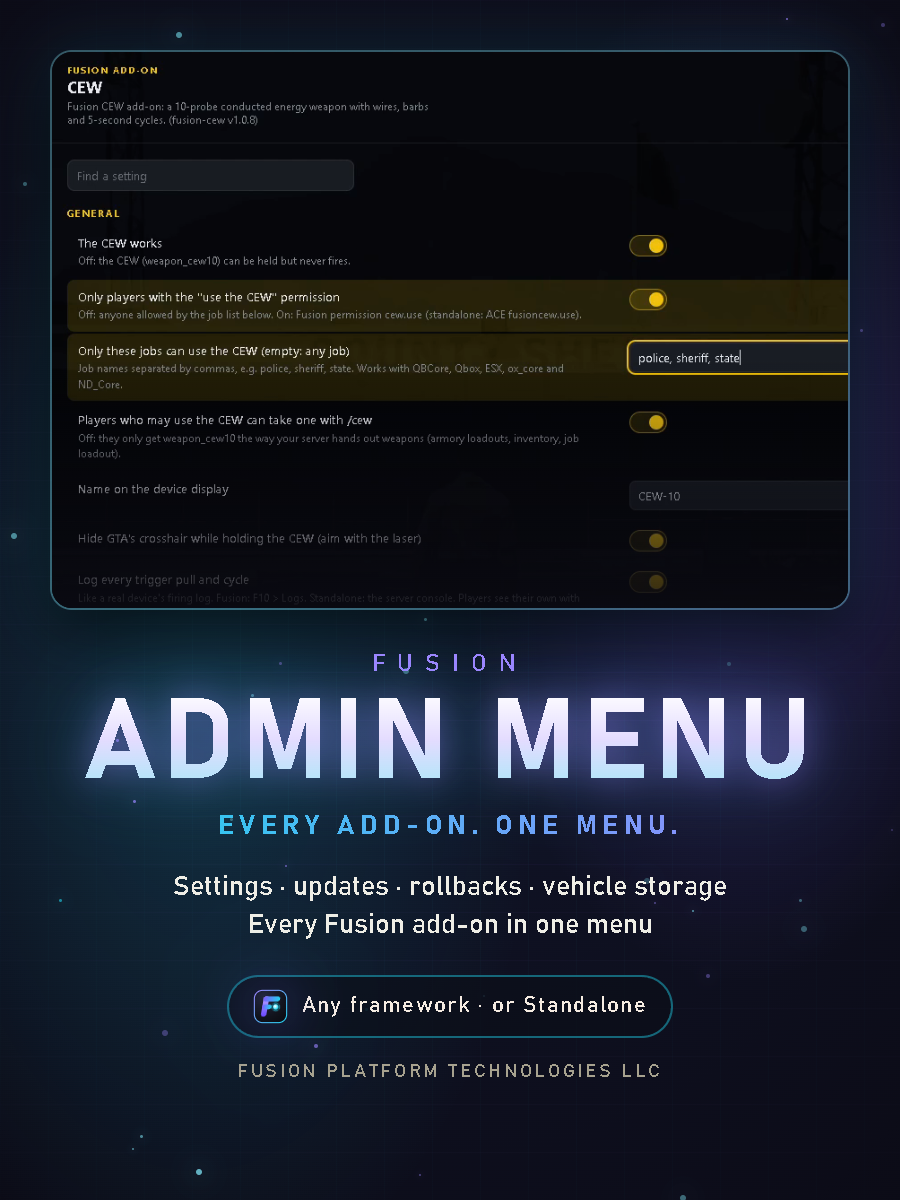
One in-game menu for the settings, updates and vehicle storage of every Fusion add-on on your server. Pick an add-on from the list and change any of its settings, check for updates, install them or roll them back, without a different setup command for each add-on or a trip to the server console. Where each add-on's gear comes out of each vehicle is set up here too, for all of them at once.
Made for servers that run our add-ons on any framework (Qbox, QB-Core, ESX, ox_core, ND_Core or Standalone). On Fusion Menu it runs next to F10 and handles what F10 has no page for.
Watch it in action: youtu.be/wvQHMfV9IjI
Free for every server
Fusion Admin Menu is free. It works with the Fusion add-ons you own.
Every setting, one place
- Type
/fusionadminand every Fusion add-on that's running is in the list on the left - All of an add-on's settings, grouped like its own setup screen, each with its description. Find a setting by typing
- Changed settings turn yellow and are counted at the bottom: Save or Discard, or Reset one to its default
- Coordinates have Use my position: stand there and press it, heading included
- Lists edited in place: depots, cargo, fire locations, restock stations. Open an entry, move it, remove it, or add a new one where you stand
- Changes apply straight away, for every player
Add-ons with a config file
- Add-ons that keep their settings in config.lua get their main options in the menu too: jobs, ranges, timers, stock, dispatch and more
- Your config.lua is never rewritten: changes go in a separate overrides file that updates never touch
- A setting that differs from the file shows Changed from config.lua, with a one-click reset
- They apply when the add-on restarts, and the menu has a Restart now button for a quiet moment
Updates
- The version you run, the newest one out, and what changed
- Check now and Install now, with a warning first when players are online. Left alone, an update installs when the server is empty
- Roll back to the version before with one click
- Per add-on: update by itself, only tell me, or off
- A dot in the list marks an add-on with an update ready or changes waiting for a restart
- Other scripts that use the same updater show under their maker's name, with their updates
Vehicle storage
- Where each add-on's gear comes out of each vehicle: CEW magazines, bean bag rounds, rope rescue gear, extrication tools, the rescue saw, the PPV fan and more, for every add-on at once
- A Trunk or Compartment on each vehicle model, with the gear ticked for it. Walking up to it shows one "Open trunk" or "Open compartment" list with everything kept there
- + Add place here: stand at the spot on the vehicle, look at it and press it. The model, the spot and the kind fill in
- A patrol car with one trunk shows one trunk; a fire engine shows its compartments only where you put them
- The same places are set by every add-on's own spot command, so servers without the menu share the same layout
For server owners
- Staff only: one ACE for the whole menu, or an add-on's own admin permission for just that add-on. On Fusion Menu: adminmenu.admin in F10 > Roles & Permissions
- Every change is checked on the server: who asks, and for which add-on. Nothing the game sends is trusted
- Every new Fusion add-on is built to show up in it, with no setup
- Updates itself like the add-ons do
Good to know
- Needs Fusion add-ons to manage: on its own it has nothing to show
- Install: put it in your resources,
ensure fusion-adminafter your add-ons, and give your staff the ACE. Step-by-step guide included - No database, nothing for players to download
- Protected with the Cfx.re Asset Escrow. Delivered through your Cfx.re keymaster.
Policies
No refunds: this is a digital product and all sales are final. Support is through Discord tickets only: discord.gg/kVRqwDPsnJ.